
TicketSmarter - Events Tickets
TicketSmarter IncEvents
3.047.00 Reviews
- Version
- 3.5.0
- Installs
- 50.00K
- Age Rating
- Everyone
Screenshots
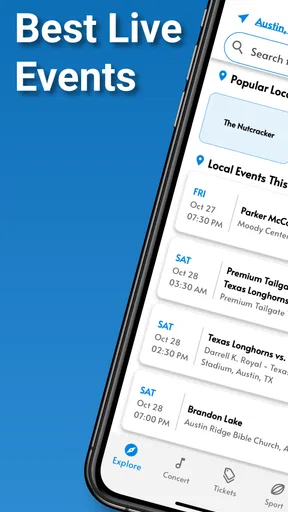
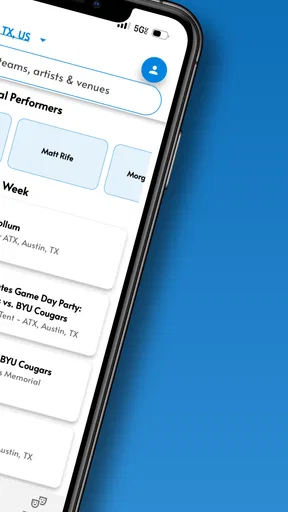
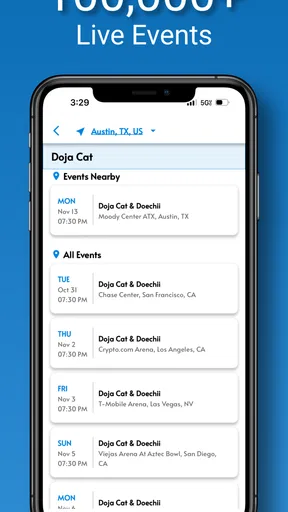
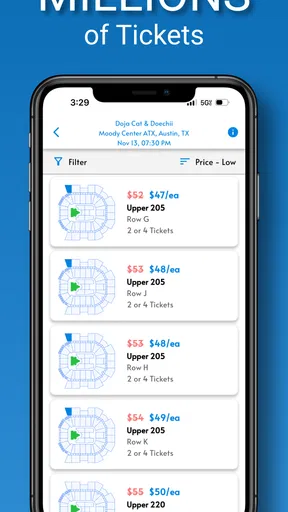
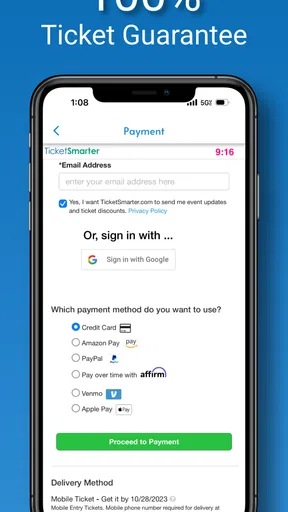
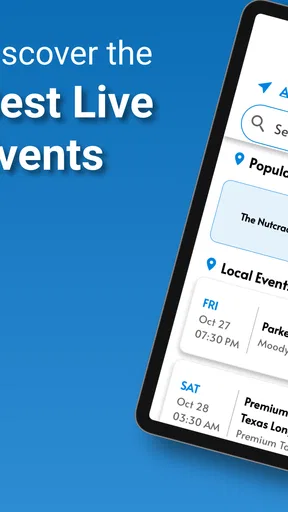
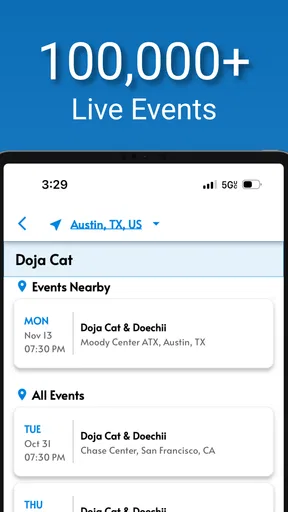
Our Review of TicketSmarter - Events Tickets
 Analysis by Appyee
Finding a live event is easy; making a confident ticket decision is harder. That is the part I focused on while using TicketSmarter - Events Tickets, a free events app from TicketSmarter Inc. Its main value is putting the ticket-search process on a phone, where I can look for an event before making plans instead of waiting until I am sitting at a computer. The experience is aimed at people who want a practical route from “what is happening?” to “which tickets should I consider?” without treating the app like a general social network or entertainment guide.
I would describe it as a mobile ticket-discovery tool rather than a complete event-planning companion. That distinction matters. If you already know the concert, sports fixture, or show you want, the app can make the first part of the search feel more direct. If you expect detailed local recommendations, extensive editorial coverage, or a replacement for every ticketing service you use, the experience may feel narrower. My overall impression is that its usefulness depends on how often you look for live events and how much you value checking options from your phone.
Why the ticket-search capability matters
The central capability is simple but useful: the app gives me a mobile place to explore live-event tickets. That sounds ordinary, yet the practical benefit is that ticket research often happens in small gaps during the day. I might remember an upcoming game while commuting, hear a friend mention a concert during lunch, or decide on a weekend activity after work. Having the search process available in an app means I can begin checking possibilities immediately rather than postponing the decision.
That convenience is more important when several people are involved. Choosing an event with friends usually means comparing dates, deciding whether the location is convenient, and checking whether the available seats fit the group’s expectations. A phone-based ticket app does not remove those decisions, but it lets me handle them while the conversation is happening. I can investigate an event, share the relevant details outside the app, and return to the search when the group has agreed on a date.
I also found that the app’s role is best understood as an early decision-making step. It helps turn a vague plan into a specific event search. The useful question is not simply “does it sell tickets?” but “does it help me narrow down what I want to attend before I commit?” For that purpose, the app has a clear place in the events category.
The public store profile gives the app an average rating of 3.0 from around 127 ratings, so I would not present it as a universally smooth experience. That rating suggests a mixed reception, and it matches the sensible approach I would recommend: use the app as a convenient discovery and purchasing route, but still read every event and ticket detail carefully before completing a transaction.
What I actually look for first
When I open an event-ticket app, I do not begin by browsing randomly. I usually have one of three goals: find a particular performer or team, investigate what is happening in a city, or compare possible dates for a group outing. TicketSmarter - Events Tickets is most useful when I approach it with one of those goals already in mind. A focused search reduces the time spent scrolling and makes it easier to judge whether the app is helping me.
For a known event, I would start with the exact name and then check the date and venue before thinking about seats. This sounds obvious, but it prevents a common mistake: finding an event with a familiar name and assuming it is the one I meant. For a broader search, I would decide the city and approximate date first. That gives the app a practical job instead of turning it into an endless stream of possibilities.
My first non-obvious tip is to treat the app as a planning scratchpad. Before buying, I would note the event date, location, and the ticket option that seems suitable, then discuss those details with anyone joining me. This is particularly helpful for families or groups, because the cheapest-looking choice is not automatically the best choice if it creates a poor view, separates people, or makes travel inconvenient.
How the experience fits into a real decision
In everyday use, the value is not just finding a listing. It is reducing the number of separate steps between interest and action. I can begin with an event idea, inspect the available choices, and decide whether it is worth continuing. That is more convenient than opening several unrelated pages and trying to remember which option belonged to which event.
Still, I would not rush through the process. Ticket purchases are one of those situations where a fast interface can encourage fast decisions. My workflow would be to pause at the event details, verify the venue and date, review the ticket description, and confirm the final order information before paying. The app can make browsing easier, but it cannot decide whether a ticket is appropriate for my budget, travel plans, or group.
This is where the app differs from a venue’s own ticket page. A venue site may be the better choice when I already know the exact location and want the venue’s direct information. TicketSmarter - Events Tickets is more appealing at the discovery stage, when I am still comparing possibilities or looking for a convenient mobile route. A large general marketplace may offer broader shopping tools, while a primary seller may feel more direct for a specific event. The trade-off is convenience versus the confidence that comes from dealing with the event’s most obvious official channel.
A realistic weekend use case
Imagine that I am arranging a Saturday outing for three friends. Nobody has chosen a specific event, but we want something live and do not want to spend the evening researching on separate devices. I would open the app, search for possible events in the relevant area, and make a short list based on date and venue. I would then send the names and timing to the group, rather than immediately buying the first tickets that appear.
Once everyone agrees on one event, I would return to the listing and inspect the ticket choices more carefully. The important comparison would not be only the displayed amount. I would consider whether the seats keep us together, whether the venue is realistic for our travel plans, and whether the event timing works for the entire group. If a ticket option looks attractive but creates a problem with arrival time or seating, I would reject it even if it appears convenient at first.
That workflow shows the app’s strongest practical effect: it helps coordinate the search before the purchase becomes urgent. It is especially useful when one person in a group has taken responsibility for organizing the outing. The organizer can investigate from a phone, keep the options manageable, and avoid making everyone search independently.
My second practical tip is to separate “event choice” from “ticket choice.” First settle on the event and date; then evaluate the available seats or ticket categories. Mixing both decisions at once makes it easier to buy impulsively. This two-stage approach also makes the app more useful for people who are price-conscious, because it leaves room to compare several acceptable options instead of treating the first available ticket as the only possibility.
Where the mobile format helps most
The mobile format is valuable when timing matters. Tickets and event plans are often discussed away from a desk, and an app is naturally suited to quick checks. I can investigate while traveling, during a break, or while waiting for a friend. That does not mean every search should be rushed; it means the research can happen when the idea is fresh.
It is also useful for last-minute coordination. If a friend sends me an event suggestion, I can check it immediately and decide whether it deserves further attention. I do not have to remember the name and hope I will have time to search later. For people who regularly attend concerts, sports, or other live entertainment, that small reduction in friction can make the difference between following through and abandoning the plan.
However, I would be more cautious on a small phone screen when comparing several ticket choices. A desktop browser can make long details and multiple tabs easier to inspect. My third tip is to use the phone for discovery and shortlist creation, but slow down for the final review. If the purchase involves several tickets or a meaningful amount of money, I would read the entire order summary rather than relying on the first screen.
Important trade-offs before buying
The mixed rating is a useful reminder that convenience should not be confused with certainty. Ticketing involves details that can affect the whole experience: event identity, date, venue, seating arrangement, and the final order terms. I would verify each of those inside the purchase flow. If anything looks unclear, I would pause instead of assuming that the next screen will explain it.
Another limitation is that the app may not be the ideal first stop for every kind of event search. Someone who wants deep local recommendations, artist news, venue information, or a social way to discover events may prefer a broader events platform. Likewise, a person who already has a direct relationship with a venue may find the venue’s own channel more straightforward. TicketSmarter - Events Tickets makes more sense when ticket access and mobile convenience are the priority.
I would also avoid judging a ticket only by its initial appearance in the search results. The practical cost of an outing includes transportation, timing, and the quality of the seats, not just the first figure I notice. The app can help me locate options, but the responsibility for comparing the complete plan remains with me. That is not a flaw unique to this app, but it is an important boundary to understand.
For cautious buyers, I recommend taking a screenshot or writing down the selected event details before moving through the final steps. That gives me something to compare against the order summary and reduces the chance of overlooking a date or venue change in a group conversation. I would not treat this as a substitute for reading the final terms; it is simply a way to keep the original plan clear.
Who is likely to benefit most
The app is a good fit for people who frequently consider live entertainment and want a convenient search tool on their phone. It can also suit an organizer who regularly coordinates outings for friends, because the discovery process can happen wherever the conversation takes place. Users who already know the event they want may appreciate the directness, while flexible users can use it to investigate several possibilities before choosing one.
It is less suitable for someone who rarely attends events and expects a highly personalized recommendation service. If I only buy tickets once in a long while, the app may not offer enough value beyond that single search. I might be better served by checking the venue or event organizer directly, especially when I already know exactly where I want to buy.
The app is free and carries an Everyone age rating, which makes it approachable for a broad audience. It was released on October 21, 2019, and the current version is 3.5.0, with Android support from version 8.0 onward. Those details make it easy to judge basic compatibility before installing, particularly if I am using an older phone.
Its reach is modest but established, with over 50 thousand installs and around 47 written reviews visible in its store presence. I would read that as enough adoption to make the app worth trying, but not as proof that every user will have the same experience. The rating and review volume point toward setting realistic expectations and paying attention to the details of each individual purchase.
My recommendation after using it
I recommend TicketSmarter - Events Tickets when the main need is mobile access to live-event ticket discovery. Its strength is not that it eliminates every part of event planning. Its strength is that it gives me a practical starting point whenever an event idea appears and I want to investigate it immediately.
I would use it for building a shortlist, coordinating with friends, and checking ticket possibilities before deciding whether an outing makes sense. I would not use it carelessly as a reason to buy faster, and I would compare it with a venue’s direct option when the event is already known. That balanced approach lets the app do what it does best without asking it to replace every other source of event information.
In the end, this is a focused events app with a clear everyday use case. If you value convenience and often make plans around concerts, sports, or other live experiences, it is worth trying on a compatible Android device. Just keep your own checklist for the final decision: event, date, venue, seats, and complete order details. That small pause is what turns a quick ticket search into a better-informed purchase.
Verdict
Strengths of TicketSmarter - Events Tickets
- Browse tickets for concerts, sports, theater, and other live events.
- Event listings include venue, date, time, and seating details.
- Mobile access makes it easy to manage tickets while traveling.
- Search and filters help narrow results by event, location, or date.
- Digital ticket delivery can reduce the need for printed tickets.
Limitations of TicketSmarter - Events Tickets
- Prices may increase with service, delivery, and other checkout fees.
- Ticket availability and seating options vary widely by event.
- Some tickets may be delivered only shortly before the event.
- Refund and cancellation rules depend on the event and ticket terms.
- The app may redirect certain support or purchase issues to the website.
Similar Picks in This Category
View All
Easy Quran Mp3 Audio Offline
Muslim Worldapp4.7

Invitation Maker: Cards & RSVP
Greetings Island4.9

StubHub - Live Event Tickets
StubHub4.3

Fever: Events & Tickets
Fever Labs4.7

Epic Freebie Games Radar
Arioch Pds - Apps & Games4.4

Invitation card Maker, Design
Splendid App Maker4.9
Frequently Asked Questions
What is TicketSmarter - Events Tickets, and what can I use it for?
TicketSmarter - Events Tickets is a mobile marketplace for discovering and purchasing tickets to concerts, sports games, theater performances, festivals, comedy shows, and other live events. After installing the app, you can browse events by category, location, date, or performer, compare available listings, review seating information, and complete a ticket order from your phone. Availability and ticket prices depend on each event and seller.
Are tickets purchased through TicketSmarter guaranteed to be valid?
TicketSmarter presents itself as a resale marketplace that connects customers with ticket sellers, so listings may come from different sources rather than directly from the venue. Before ordering, carefully review the event details, seat information, delivery method, fees, and seller-related terms. Ticket validity and fulfillment are covered by the marketplace’s applicable buyer guarantee, but customers should still verify the final order confirmation and contact support promptly if a problem occurs.
How much do TicketSmarter tickets cost, and are there additional fees?
Ticket prices in TicketSmarter can vary considerably according to demand, event popularity, seat location, seller pricing, and how close the event date is. The displayed price may not represent the complete amount you will pay, because service charges, delivery costs, taxes, or other checkout fees can apply. Review the full price breakdown before confirming payment, especially when comparing listings for the same event.
Can I get a refund or cancel a TicketSmarter order after purchasing?
Refund and cancellation options depend on the event, order status, delivery method, and TicketSmarter’s current terms. Many ticket marketplace purchases are treated as final once completed, although exceptions may apply when an event is canceled, postponed, or covered by a specific guarantee. Read the refund policy before payment, save your confirmation email, and contact TicketSmarter support as soon as possible if your plans change or an event is modified.
Is TicketSmarter safe to use, and what should I check before downloading or buying?
TicketSmarter can be useful for comparing live-event listings in one place, but users should take normal precautions before making a purchase. Download the official app from a trusted Android or iOS store, check the developer information, and keep the application updated. Before paying, confirm the event date, venue, ticket quantity, seating section, delivery timing, total cost, and accepted payment details. Avoid sharing login or payment information through unofficial links or messages.
